
Mounting the LED strip - part 2
You’ll attach the lights to this stick, so choose its position carefully. Once the lights are attached, you can check where the center of weight is - that’s where you’ll mount the motor.
- #2543
- 10 Nov 2025
You’ll attach the lights to this stick, so choose its position carefully. Once the lights are attached, you can check where the center of weight is - that’s where you’ll mount the motor.
A clutch is a mechanical device that is used for engaging or disengaging power transmission. Now we will see how we can make such a device using LEGO.
A capacitor acts like a small energy buffer. It stores a little electricity and releases it when needed. When the controller or LED strip suddenly turns on or changes brightness, it can briefly pull a lot of current. The capacitor helps by smoothing out these quick changes, keeping the voltage steady. This protects the controller and LEDs from sudden voltage drops or spikes and helps everything run more reliably. In simple terms, the capacitor helps keep the power smooth and protects the electronics.
The after season review continues. No. We are not publishing a single solution for the next season before it is over, but let's learn from the previous season. The current tutorial is about three missions at once on a single run with the robot. Most FIRST LEGO League teams try to accomplish one-two missions on a single run out of the base, and three is really what makes the difference
If everything is connected correctly, the Arduino microcontroller will light up, powered with 5V from the 9V battery!
DIfferent wheels and tires will result in different behaviour of the robot. That is actually pretty common sense. The real question is what is the influence. Would the robot make smaller deviations if it has smaller wheels or it will make larger deviations? The tires could also be quite dirty or brand new. Or the wheels could be attached in different ways.
In a circuit, ground is the common reference point for voltage and the return path for electric current. After electricity flows through components, it needs a clear way to get back to the power source. All ground connections are tied together, so every part of the circuit shares the same reference point, and the current can flow in a complete loop. This helps signals stay consistent, and components work correctly. If the grounds were not connected, parts of the circuit could act unpredictably or not work at all. In simple terms, connecting all grounds keeps current flowing properly and the circuit working reliably.
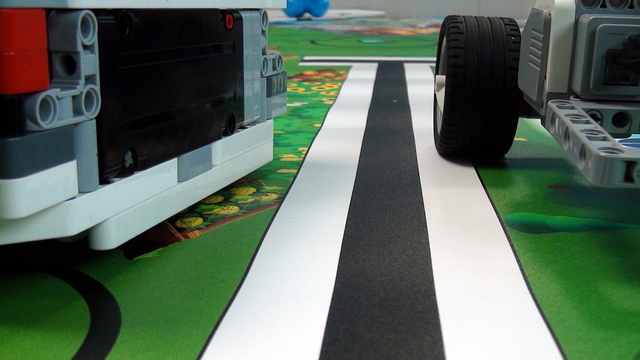
Should the robot be with a Front Wheel Drive or a Rear Wheel Drive to make it more precise? The answer is - front wheel will probably give you better results, but the wheel drive is not the most important thing. In this video tutorial on the LEGO Mindstorms Robots, we will do a few experiments to discuss the influence of the wheel drive on the precision of the movement.
Don't connect the voltage regulator to just any 5V pin of the controller. There must be a VIN pin, which is a dedicated powering pin for the controller. That is the pin through which you can power it with 5V, as it passes the power through a voltage regulator and other protections, which make sure the power is delivered safely.
The LEGO Mindstorms EV3 set comes with two LARGE motors. But even though these motors look almost the same they are not quite the same. There are always some differences in their behaviour. If you have more than two motors, because you bought them or you won them somewhere at a competition, it is worth doing an experiment to find which pair of motors works best.
If the battery holder already has such a cable attached to it, feel free to use it.
You could use the LEGO Steel Balls as a third wheel on the robot. It is a caster wheel. But this is steel and as we know from basic existence on this planet, where there is steel there is also rust. The steel ball could get quite rusty and this could have an influence on the behaviour of the robot
Be careful not to connect any other red power cables to the one leading to the battery, as it transmits higher voltage, which, while harmless to us, can still fry your controller and LED lights. Once you solder the connection between the battery and the voltage regulator input 9V terminal, connect everything else in this project to the regulator's 5V output pin.
The balance of the construction of the robot has a great influence on how it will move. This is especially true if you would like to move in a straight line. If the robot is slightly heavier on the right it will move to the right. Here we have two robots - a Five Minute robot and a Box Robot and we will discuss the differences in the constructions and why the box robot is much better than the Five Minute even though it is using the same parts.
The position of the voltage regulator won’t affect the balance much, so it’s best to place it near the DIP switch.
The robot can move with different speed by applying different power to the motors. It will most of the time make smaller deviations when it moves slower. But you can't just move with a power of 10 all the time. This is a way too slow especially for competitions like FIRST LEGO League or World Robot Olympiad. In this video tutorial I would like to discuss the balance between motor power and robot movement error, how does the battery influence the power of the robot and to conduct an EV3-G experiment that will record the values of the Gyro Sensor along with the current power.
If the battery holder already has a cable attached, you can use that one.
This video tutorial contains a detailed description on how we accomplish the FIRST LEGO League 2018-2019 Into Orbit mission called Emergency Walk, which I think is one of the most interesting missions ever in FIRST LEGO League competitions. Join me in for a short explanation.
The position of the DIP switch doesn’t affect the balance much, so you can place it wherever you prefer.
In the third run Nightbeast team solves Mission 04 - Crater Crossing and partly Mission 03 - 3D printing and Mission 014 Meteoroid Deflection:
We'll be marking and drilling holes a few times during this course. If possible, it may be useful to set up a work desk for yourself.
This is the first run of Team "Nightbeast", with which they solve M01 and M02 from FIRST LEGO League 2019 Into Orbit:
Make sure to solder the breakaway headers at the correct distance from one another , so you can mount the controller on top of them. If you solder them too close or too far apart, desoldering the breakaway headers will be a harder task than what is meant for this course.
This is the fifth and the last run of the Nightbeast team. Robot goes out of the base, do missions:
and stays on the field. It's a common practice for the competitors to left the robot on the field after the last run. This allows them to do some important points at the end of the match.
We use breakaway headers so our electronics can stay safe and flexible. They let us connect parts together easily, but also snap them apart later without hurting the circuit. This is helpful because we can test things, fix mistakes, or change parts without rebuilding everything. Think of them like LEGO pieces - they click together when we need them and come apart when we don’t.
In the second run Nightbeast team solves different tasks from two missions - M05 Extraction and M06 Space Station Modules:
Attaching the PCB to the clock face is best done with two sets of hands.