Video tutorials -
This page shows all the robotics tutorials listed without specific grouping. Each tutorial is short, on specific topic, has a video. Tutorials are structured in sequence in Courses.
Filters:


The LED clock End Goal
In this self-paced, beginner-friendly online course, you and your child will learn how to create a rotating LED strip display—a glowing clock that seems to paint time in mid-air. And don’t worry if you’ve never soldered, wired a circuit, or touched an Arduino before. We guide you from the very first step all the way to powering on your finished display.
By the end of this journey, you’ll both have learned real hands-on skills—like how to solder, drill clean mounting holes, read resistor color codes, and work with common electronic components—all while building something that looks impressively “advanced” but is totally achievable for beginners.
Before you jump into the build videos, this first lesson gives you a clear picture of what you're creating—and what materials you’ll need to make it happen. We want you to have full confidence in what you’re investing in. There are no surprise expenses later: everything required is listed upfront, along with tips on where to buy each part.
- #2559
- 19 Nov 2025
Completing the clock hardware - part 6
The hall effect sensor can't detect a magnet, without there being one in the first place. While we can use glue or other ways of attaching a magnet to the clock face, we decided to use a second magnet on the other side of the face to hold the main one attached to it.
- #2554
- 10 Nov 2025
Completing the clock hardware - part 5
Make sure the connection between the clock arm and the clock's body is strong. Otherwise, it may sleep when you turn it on.
- #2553
- 10 Nov 2025
Completing the clock hardware - part 4
The 330 Ω resistor on the LED strip’s data pin acts like a tiny speed bump for the signal. It protects the LEDs by keeping the data signal from being too strong or too fast, which helps the strip work correctly and last longer.
- #2552
- 10 Nov 2025
Completing the clock hardware - part 3
The ground connection to the LED strip can be connected to any ground connection of this circuit. There is no danger of anything burning.
- #2551
- 10 Nov 2025
Completing the clock hardware - part 2
Be careful with the power connection of the LED strip. If you connect it to the 9V battery line, it will fry the LED, and the strip will be ruined.
- #2550
- 10 Nov 2025
Completing the clock hardware - part 1
Measuring the center of mass of the arrow arm, in its unfinished form, will be inaccurate, but we can come closer to being accurate if we place as many of the components on it before making our guess.
- #2549
- 10 Nov 2025
Attaching the Hall effect sensor - part 2
A pull-down resistor keeps the Hall sensor’s signal at zero when no magnet is near. Without it, the sensor could get confused and give random on/off signals. It makes sure the circuit can clearly tell when a magnet is present or not.
- #2548
- 10 Nov 2025
Attaching the Hall effect sensor - part 1
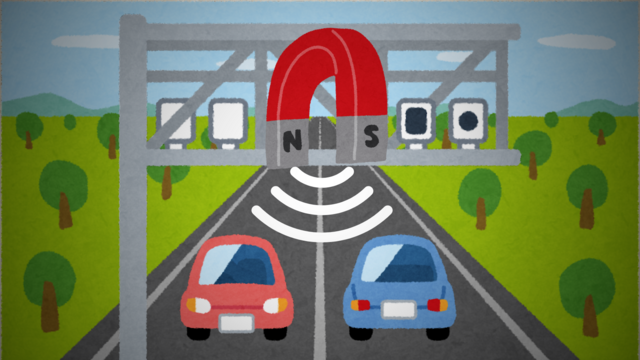
A Hall effect sensor is basically a tiny magnet detector. When a magnet comes near it, the sensor can “feel” the magnetic field and tell the circuit, usually by turning its output on or off. We can use it to detect things moving, like wheels spinning or doors opening.
Some microcontroller pins can act like tiny batteries (power) or tiny paths to ground. By setting a pin HIGH, it gives a little voltage to power something. By setting it LOW, it acts like ground, letting current flow back. This is useful for testing or powering small sensors,
In short: Hall sensors feel magnets, and digital pins can sometimes act like tiny power sources or grounds to help run them.
- #2547
- 10 Nov 2025

Mounting the LED strip - part 5
Some LED strips have a sticky backing covered by a thin plastic layer. You can peel it off and stick the strip directly. If your strip is different from the one we suggested in the shopping section, you might need to get a little creative.
- #2546
- 10 Nov 2025

Mounting the LED strip - part 4
While we can pass the cables around the PCB, we decided that it would look more appealing if they were to pass from underneath the PCB. While this is an easy way to do so, those more tech-savvy can solder 3 terminal blocks to the PCB, as a way to bypass the drilling task and create an easy way to replace the LED strip in the future.
- #2545
- 10 Nov 2025
Mounting the LED strip - part 3
On our LED strip, there are two extra wires for power and ground. We don't need them, so we cut them off. There is also an extra connector on the remaining cables. As we will be soldering them to the board, we don't really need this connector, so we remove it as well.
- #2544
- 10 Nov 2025
Mounting the LED strip - part 2
You’ll attach the lights to this stick, so choose its position carefully. Once the lights are attached, you can check where the center of weight is - that’s where you’ll mount the motor.
- #2543
- 10 Nov 2025
Mounting the LED strip - part 1
A capacitor acts like a small energy buffer. It stores a little electricity and releases it when needed. When the controller or LED strip suddenly turns on or changes brightness, it can briefly pull a lot of current. The capacitor helps by smoothing out these quick changes, keeping the voltage steady. This protects the controller and LEDs from sudden voltage drops or spikes and helps everything run more reliably. In simple terms, the capacitor helps keep the power smooth and protects the electronics.
- #2542
- 10 Nov 2025

Soldering the microcontroller and powering it up - part 11
If everything is connected correctly, the Arduino microcontroller will light up, powered with 5V from the 9V battery!
- #2541
- 10 Nov 2025
Soldering the microcontroller and powering it up - part 10
In a circuit, ground is the common reference point for voltage and the return path for electric current. After electricity flows through components, it needs a clear way to get back to the power source. All ground connections are tied together, so every part of the circuit shares the same reference point, and the current can flow in a complete loop. This helps signals stay consistent, and components work correctly. If the grounds were not connected, parts of the circuit could act unpredictably or not work at all. In simple terms, connecting all grounds keeps current flowing properly and the circuit working reliably.
- #2540
- 10 Nov 2025
Soldering the microcontroller and powering it up - part 9
Don't connect the voltage regulator to just any 5V pin of the controller. There must be a VIN pin, which is a dedicated powering pin for the controller. That is the pin through which you can power it with 5V, as it passes the power through a voltage regulator and other protections, which make sure the power is delivered safely.
- #2539
- 10 Nov 2025
Soldering the microcontroller and powering it up - part 8
If the battery holder already has such a cable attached to it, feel free to use it.
- #2538
- 10 Nov 2025
Soldering the microcontroller and powering it up - part 7
Be careful not to connect any other red power cables to the one leading to the battery, as it transmits higher voltage, which, while harmless to us, can still fry your controller and LED lights. Once you solder the connection between the battery and the voltage regulator input 9V terminal, connect everything else in this project to the regulator's 5V output pin.
- #2537
- 10 Nov 2025
Soldering the microcontroller and powering it up - part 6
The position of the voltage regulator won’t affect the balance much, so it’s best to place it near the DIP switch.
- #2536
- 10 Nov 2025
Soldering the microcontroller and powering it up - part 5
If the battery holder already has a cable attached, you can use that one.
- #2535
- 10 Nov 2025
Soldering the microcontroller and powering it up - part 4
The position of the DIP switch doesn’t affect the balance much, so you can place it wherever you prefer.
- #2534
- 10 Nov 2025
Soldering the microcontroller and powering it up - part 3
We'll be marking and drilling holes a few times during this course. If possible, it may be useful to set up a work desk for yourself.
- #2533
- 10 Nov 2025
Soldering the microcontroller and powering it up - part 2
Make sure to solder the breakaway headers at the correct distance from one another , so you can mount the controller on top of them. If you solder them too close or too far apart, desoldering the breakaway headers will be a harder task than what is meant for this course.
- #2532
- 10 Nov 2025
Soldering the microcontroller and powering it up - part 1
We use breakaway headers so our electronics can stay safe and flexible. They let us connect parts together easily, but also snap them apart later without hurting the circuit. This is helpful because we can test things, fix mistakes, or change parts without rebuilding everything. Think of them like LEGO pieces - they click together when we need them and come apart when we don’t.
- #2531
- 10 Nov 2025

Customizing the clock - part 3
Attaching the PCB to the clock face is best done with two sets of hands.
- #2530
- 07 Nov 2025