Ultrasonic Sensor. Smooth follow a wall (part 2)
In the first LEGO tutorial we started following a wall with the Ultrasonic Sensor. In this tutorial we would improve the program, remove the zig zag movement and make it very smooth.
- #162
- 21 Oct 2015
In the first LEGO tutorial we started following a wall with the Ultrasonic Sensor. In this tutorial we would improve the program, remove the zig zag movement and make it very smooth.
Don't we all love animals? But it is sometimes difficult to have a puppy at home. Presenting to you - the Puppy robot (drums in the back). It has some of the benefits of a Puppy - it is small, it can follow you with the Ultrasonic Sensor and it can bark (if you program it to). Follow the building instructions. Use it at home or at class.
Build from LEGO EV3 Core and Expansion set this robot looks like a scorpion. The Scorpion strikes, when it sees a pray with the ultrasonic sensor and you can use the touch sensor and the rotation sensor to control the spike movement. It has a scissor mechanism at the back using a system of gears and levers.
As the name indicates, ultrasonic sensors measure distance by using ultrasonic waves. One of the “eyes” on the sensor head is the transmitter and emits an ultrasonic wave and the other “eye” is the receiver which receives the wave reflected back from the target.
Following the Spy Bot, we have this new Spy Vehicle. Yes, yes it is using an ultrasonic sensor.
The building instructions are for a robot base that looks like a car but is not exactly a car and has a strange shape. Just like spy vehicles - a car, but not only a car and not just a car.
This robot is part of the category of robots called animals. After following the building instructions you would have a frog that could jump. Of course, the jump depends on the surface and the friction between the robot and the ground... quite complex physics involved. But if you program it to move forward it will try to jump and it is your job to try to make it jump higher.
You could try to extend some of the legs, for example.
Building instructions for a robot for the World Robotics Olympiad Sputnik competition. This is the light version without the lift at the top.
Building instructions for a Light LEGO Mindstorms EV3 Competition Robot that could be used in LEGO Robotics competitions. Compared with previous versions of this robot, this one has a Gyro Sensor.
The kinesthetic and memory game works with a program you can download from here. In these instructions you will see the 7 modules from which it is built:
This robot is meant to be very modular and to enable its owner to upgrade it and modify it.
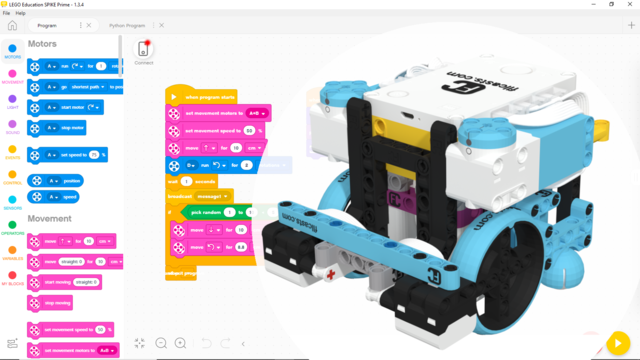
This program is developed with Robot Inventor - LEGO MINDSTORMS App Word Blocks and is used to make the robot stop at a distance from the border field.
This program uses the Ultrasonic Sensor and the yaw angle detected by it. It aligns the robot to a border and gently pushes on a mission model.