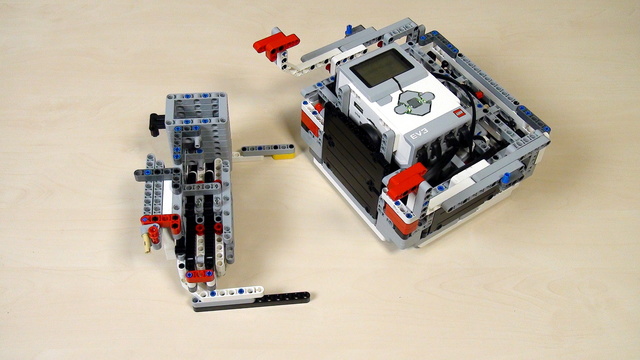
Tetrix FTC. Modify the PushBot to collect balls
There are modifications that you must do on the FTC PushBot robot. Let's discuss them
- #566
- 08 May 2017
There are modifications that you must do on the FTC PushBot robot. Let's discuss them
One of the very common tasks on different FIRST Technical Challenge competitions is to collect objects. In this case, these are colourful specifically shaped plastic object or in simple terms - balls.
In this tutorial we go through the VEX IQ Challenge. Most of the challenges are related with manipulating objects. The most common object used in competitions are balls. That is why we take a look at a simple mechanism that can be used for throwing a ball.
Building a rack is a very important skill during competitions. You should try to build one, learn how to use it and have it as a tool for you next robots. But for this particular BoxRobot, we will not continue with a rack.
Using the rack depends on the experience of the team. Based on this a different number of gear wheels and racks would be used.
Build a rack and try to lift the robot with this rack.
The next step of lifting a robot to a mission model is to try to use a rack.
Tips and common mistakes when connecting two beams together
What is allowed and what is not when building without instructions.
Try to add a touch sensor to the robot on your own.
Why we change the robots all the time and what to observe in each new robot.
Our next robot is called CastorBot, because of the castor ball.
Think of an attachment that leaves the Gecko on the mission model. Don't use the robot attachment that we already have. Just the box robot and the gecko. Nothing should support the Gecko when it is hanged on the mission model.
In this tutorial, we add another mission to our current program. This mission is - hanging the Gecko from the FIRST LEGO League Animal Allies.
What should you as a teacher know when the students are trying to achieve a program and robot attachment that could reproduce their behaviour 9 out of 10 times.
With the last few videos, we entered the math world. Why we do it and what to keep in mind
The task in this tutorial is to execute the program 10 times and to do it yourself. If you have your attachment then use it. If you have our attachment then use it. But execute the program 10 times and make sure that it works.
How great is the great attachment for lifting that we built in this course? How many times can it lift the robot without making an error? How great are your attachments and how could you test them? - the answer is simple. Just try 10 times and they should work at least 9 of them as our attachment is.
In this video, we introduce two pieces: beam with pins and the angular beam with pins
If you've done the calculation following the previous tutorials you would arrive at a result of 18.75 rotations. But this is not the correct answer. The calculation is wrong, because the math model that we've built, although kind of obvious, is not correct. When experimenting the correct number of rotations would be 37.5. This is a large difference. Two times larger. Exactly two times large. Something should be happening here - and this thing is "planetary mechanism"
How to change the direction of a beam from horizontal to vertical.
This is a teacher's note about the math behind calculating gear ratios with for our lifting attachment. It math model we build in previous tutorials is not exactly correct and here is the explanation why.
Connect the attachment to the box robot and find the correct number of rotations of the middle motor that would bring the robot up and forward and would attach it to the mission model.
Sometimes the answer that you get by calculating seems not to be right. Is it the calculation that is wrong. Probably it is not the calculation, but something is happening with the robot.