
EV3 basics course. Touch Sensor. Programing. Pressed/Released (part 2)
We create a program for detecting when the Touch Sensor was Pressed/Released. Move until it is pressed, continue when it is released.
- #139
- 08 Oct 2015
We create a program for detecting when the Touch Sensor was Pressed/Released. Move until it is pressed, continue when it is released.

The way sensors and programs work in a robotics system is sometimes not-intuitive for a beginner, but nevertheless very logical. Building a program for a touch sensors for "Press->Go->Press->Stop" using the EV3-G software could be quite challenging at the beginning even for experienced teachers, students and robot builders.

Specific challenge on programming the robot to move as a Yo-Yo


In the first LEGO tutorial we started following a wall with the Ultrasonic Sensor. In this tutorial we would improve the program, remove the zig zag movement and make it very smooth.

Based on your feedback we have decided to show you the live process of building a complex LEGO Mindstorms Competition robot without having the whole robot ready yet. We would be making mistakes, showing them and taking up the challenges right in front of your eyes. The first construction would not be perfect but we would eventually arive at it.

"What is the light in the room?" - should it even matter. You can use one program for all lighting conditions by calibrating the color/light sensor of the LEGO Mindstorms EV3/NXT robots.

Tasks for school STEM classes or home exersie. Try to solve them to submit your solutions below.

One attachment to rule them all...We have seen it and it works -> solving most of the competition models with only one attachment. In this video tutorial without programming we would walk you through the principles and methods of using a single attachment for most of the FIRST LEGO League competition models. One can learn alot from using as few parts as possible to solve as many missions as possible.

Experiment with moving the robot in different geometrical figures. The tasks could be used in STEM classes for introducing students to geometry and math.
How to search for an unknown value with the fewest possible tries.

In this tutorial of the series we would get into more details on how the flywheel works, what's its purpose and how the whole attachment is triggered with the first rubber band.
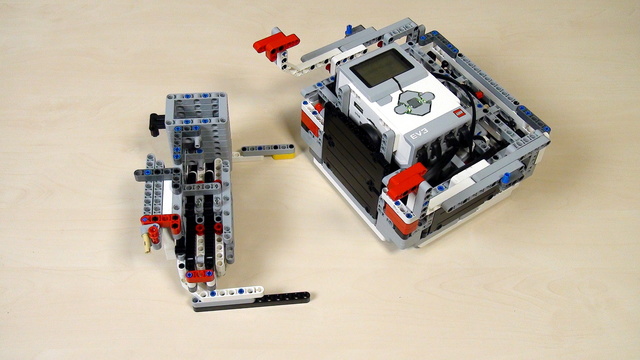
The next step of lifting a robot to a mission model is to try to use a rack.

"The devil is in the details". We are improving the Rubber band attachment with a Flywheel by introducing a few small, but important modifications that make the whole robot attachment more stable and reliable. With the conclusion of the series this attachment could be used as a basis for some very interesting STEM demonstrations on energy accumulation and conservation.

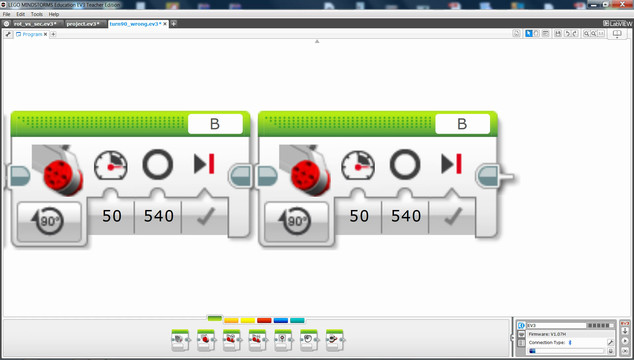
Move the robot using the Move Steering block. We explore what the different values for Steering mean and how to use them. We also explore how the motor is configured to run for a number of rotations or seconds and what is the difference.

Next important state is Turn Right with our robot. This happens when we detect a line on the right.

Tasks for STEM classroom and home exercise to get you used to using the LEGO Mindstorms Touch sensor. Solve them, build a program, record a video and upload your solutions below.

Many teams have followed the same idea as the ELM team. To build a LEGO Mindstorms attachment for the robot and to lift the truck very lightly. In this way they could more the truck and place it in the special region. See what the ELM idea was.

This second part continues with importing two previously developed in Episode 53 blocks into our program. With them we can for align to lines. We program the robot to align to the cross line and start following it.

This video tutorial contains a detailed explanation on how we accomplish the FIRST LEGO League 2018-2019 Into Orbit mission called M09. STRENGTH EXERCISE. I could think for a couple of missions in previous years that require lifting a heavy object. Let's see how this mission could be accomplished.

We've already build a number of resources for lifting at FLLCasts.com. But at the end of this course we would have a robot that lifts itself and hangs on the mission model.

This video is part of a series where we show you how our Box Robot accomplished the M08 Elevator mission with 100% accuracy. The idea is that the robot pushes with enought force in the right spot, which makes the elevator turn over. The interesting thing is that the Dominator robot moves the lever after it pushes the elevator. This makes the move back possible, because the lever is now not in the way of the mission model.

Go to the missions model. Do the missions. You can then continue to the next mission or wait a few seconds at this FIRST LEGO League 2015 Trash Trek mission model and receive a few more points. Isn't it interesting. The ELM team has build a LEGO Mindstorms attachment for this robot. Let's see how it works.

We show the principle of solving the next FIRST LEGO League (FLL) Nature's Fury 2013 competition missions. Again, without any programs, but just the principles of using one attachment for most of the missions.

Build a rack and try to lift the robot with this rack.

How to change the direction of a beam from horizontal to vertical.

How can you be sure your image on the display is seen when the program ends?
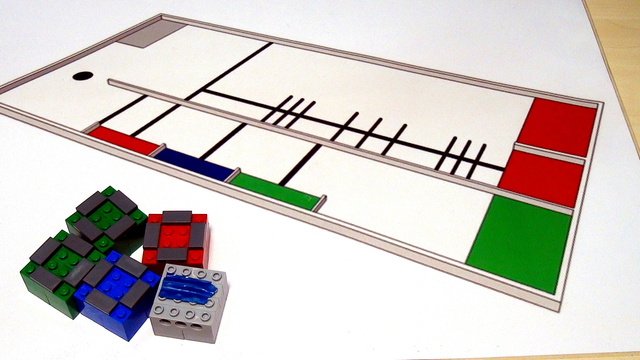
We are working on the World Robotics Olympiad (WRO) 2013 competition and its elementary part. The series will introduce three different concepts and this would be Arrays, Menus and Counting different lines. In the video you will see the robot working as it is in the final stage.