Remember to give students regular feedback. It is important to provide clear and structured feedback, including grades or ranks. Today, you will need to assess your students by following this article.

To access the full video please subscribe to FLLCasts.com
- #616
- 21 Aug 2017
It is important to observe your students and think about how they may perform in future tasks. Your observations and expectations will help you assign ranks fairly.
In the rank column, enter a value from 4 to 8. Students who have missed more than three classes or have not attended the course should not receive a rank.
Ranks:
- 4 – The student does not understand the material and is not interested in robotics.
- 5 – The student does not understand the material well but is trying. This student may have difficulties in the next level but would benefit from additional support rather than leaving the course.
- 6 – The student cannot solve all assigned tasks.
- 7 – The student can solve all assigned tasks.
- 8 – The student solves all tasks, needs additional challenges, and impresses the teacher with their understanding, ambition, and dedication.
In addition to knowledge, the rank should also reflect the student’s discipline and dedication. This means you may increase or decrease the rank by one point if appropriate.
If you are uncertain, it is usually better to give a higher rank in the early levels. In later levels, you can adjust the rank if needed and include additional feedback about behavior and effort.
Practical advice: Start by identifying the students who deserve the highest ranks and assign those first. Then continue with the remaining students.
Ranks, like all assessments, are somewhat subjective, but you should always have a clear explanation for the rank you assign. This explanation may later be shared with parents as feedback.
The teacher should evaluate students based on the following qualities and skills:
Personal qualities include classroom discipline, teamwork, and attitude toward tasks.
Development reflects how much the student has improved between levels. For example, a student who performs well but shows less motivation than before may have little or no development. A student who has improved significantly since the previous level may receive a higher development assessment.
Knowledge reflects how many tasks the student has successfully completed. This can be tracked through the platform in the Grades section.
One purpose of the ranking system is to help teachers share consistent information about students. Another is to encourage meaningful discussions between teachers and students about progress, behavior, and future development at the end of each level. The ranking system is also used as a filter - students with ranks below 7 cannot participate in a robotics competition team.
Teachers should use ranks as a motivational tool. A lower rank may encourage some students to improve, while a higher rank may motivate others to live up to the trust placed in them. Teachers should consider the emotional impact of the rank and carefully choose the words they use when discussing it with students.
A simple rule: when you are unsure between two ranks, choose the higher one. It usually leads to a more positive and motivating experience for everyone.
Courses and lessons with this Tutorial
This Tutorial is used in the following courses and lessons

Level A1. Introduction. Robotics with LEGO
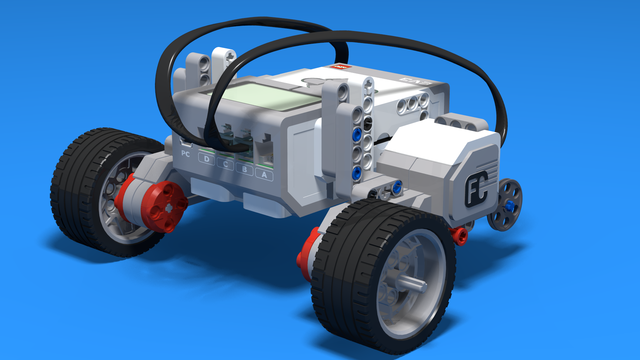
Introduction to robotics - The first level of the Robotics with LEGO curriculum for students in second, third or fourth grades. A journey in space, with robots. Various constructions with robots are built. Learn how to control the motors so that the robot navigates around the Sun, the Moon and Earth in various ways. Getting to know the first of the sensors. The robot can feel its surroundings with the help of the Touch sensor and avoid obstacles.
- 142
- 133:42
- 187

Lesson 5 - Clearing a landing spot
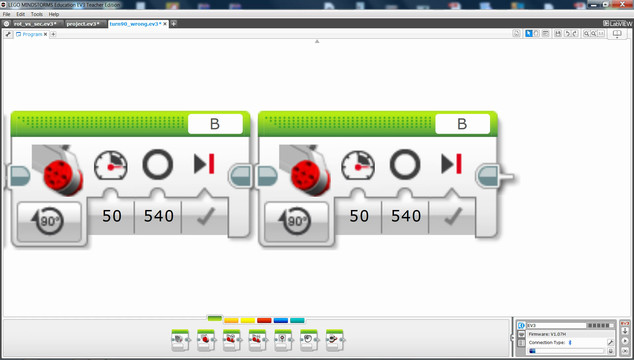
Remember to give students regular feedback. It is important to provide clear and structured feedback, including grades or ranks. Today, you will need to assess your students by following this article.
- 11
- 3
- 5
- 3d_rotation 0

Level A2. "Space exploration". Robotics with LEGO
The second level of the Robotics with LEGO curriculum for students in second, third or fourth grades.
A new sensor is introduced - the Ultrasonic distance sensor can help the robot avoid obstacles. Students work with new concepts like loop, degrees and medium motor. Robots can now do two different actions at the same time - while solving missions on a field, the third motor clears detected obstacles. The first robot with chain-treads is built.
- 63
- 3:02
- 117

Lesson 5 - Navigation in a Labyrinth
Remember to give students regular feedback. It is important to provide clear and structured feedback, including grades or ranks. Today, you will need to assess your students by following this article.
- 10
- 3
- 2
- 3d_rotation 1
Level B1. "Spy gadgets". Robotics with LEGO
The third level of the Robotics with LEGO curriculum for students in second, third or fourth grades.
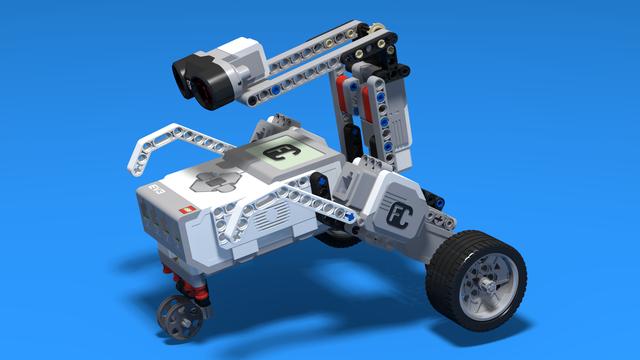
In these lessons, we stress on more complex and challenging robots. The concept of Condition is introduced. Students learn about physics concepts of inertia and center of mass. Robots with two sensors are built and students program both of them. Programming becomes more complex as robots now can make complex decisions. "Spy"-robots sneakily follow their targets, trying to be undetected.
- 30
- 7:30
- 108
Lesson 5 - Eavesdropping robot
Remember to give students regular feedback. It is important to provide clear and structured feedback, including grades or ranks. Today, you will need to assess your students by following this article.
- 4
- 5
- 3
- 3d_rotation 1
Level B2. "Military Technologies". Robotics with LEGO
The firfth level of the Robotics with LEGO curriculum for students in second, third or fourth grades.
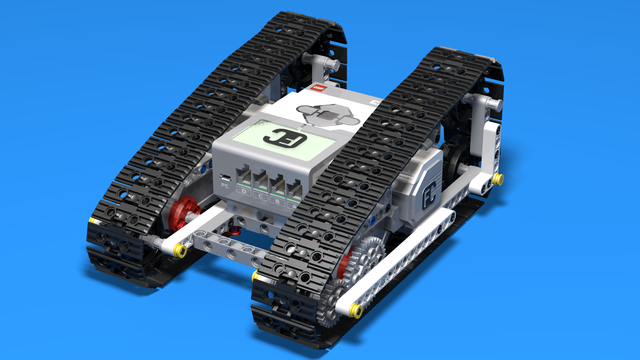
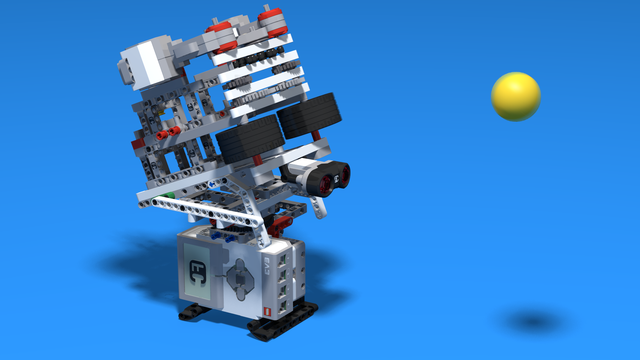
The students build many robots with chain-treads. The Color Sensor is introduced and robots use it to recognize the colors of the objects around them. Students learn about gears, basic gear constructions, and their application. Robots now can stop on a black line and can follow a line using their sensor.
- 37
- 6:37
- 111
Lesson 5 - Shooting Balls
Remember to give students regular feedback. It is important to provide clear and structured feedback, including grades or ranks. Today, you will need to assess your students by following this article.
- 5
- 3
- 10
- 3d_rotation 1

Level C2. "Cooperation". Robotics with LEGO
The sixth level of the Robotics with LEGO curriculum for students in third or fourth grade.
For the first time two different robots are required to solve a challenge. Students learn how to cooperate and find a common approach to the challenges and how to distribute their roles. Various robots are built, even a crane that loads a truck. Students use two sensors at the same time so that they find their target and find out whether their partner-robot is ready with their part of the challenge.
- 41
- 6:39
- 137

Lesson 5 - Relay game
Remember to give students regular feedback. It is important to provide clear and structured feedback, including grades or ranks. Today, you will need to assess your students by following this article.
- 8
- 6
- 12
- 3d_rotation 1
Level B2. "Military Technologies". Robotics with LEGO
The firfth level of the Robotics with LEGO curriculum for students in second, third or fourth grades.
The students build many robots with chain-treads. The Color Sensor is introduced and robots use it to recognize the colors of the objects around them. Students learn about gears, basic gear constructions, and their application. Robots now can stop on a black line and can follow a line using their sensor.
- 37
- 6:37
- 111
Lesson 5 - Shooting Balls
Remember to give students regular feedback. It is important to provide clear and structured feedback, including grades or ranks. Today, you will need to assess your students by following this article.
- 5
- 3
- 10
- 3d_rotation 1
Robotics with LEGO - Level 3.0 - Security systems
This is the fifth level of the Robotics with LEGO curriculum for students in fifth to twelfth grades.
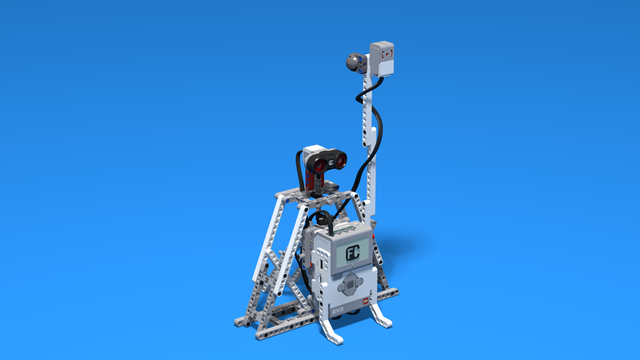
In this level students will learn how to work with data measured by the sensors. The concept of Algorithm is introduced and the programs perform calculations without knowing the values beforehand. The programming blocks transfer data between each other via data wires. The robots are designed to address the problems of security systems. Variety of alarm systems are built and the physical principles of different security methods are considered.
- 50
- 1:03
- 213
Lesson 5 - Radar for escapees
Remember to give students regular feedback. It is important to provide clear and structured feedback, including grades or ranks. Today, you will need to assess your students by following this article.
- 4
- 6
- 10
- 3d_rotation 0
Robotics with LEGO - Level 3.5 - Measuring tools
The sixth level of the Robotics with LEGO curriculum for students in sixth or seventh grade.
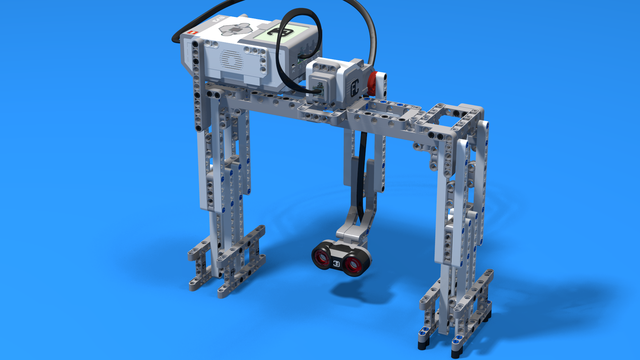
In this level, we introduce student-created myBlocks. Any functionality that is used in several places in a program is grouped into myBlock thus shortening the program's length. Students create blocks that return the result of calculations as an output parameter. Input parameters can change the calculations in the myBlocks. The robot constructions measure physical properties like linear or rotational speed, the fuel level in a tank, or length, area and volume.
- 58
- 0:00
- 185

Lesson 5 - Piggy bank. Counting money
Remember to give students regular feedback. It is important to provide clear and structured feedback, including grades or ranks. Today, you will need to assess your students by following this article.
- 7
- 5
- 2
- 3d_rotation 1
Robotics with LEGO - Level 1.0 - Adventure in Space
The first level of the Robotics with LEGO curriculum for students in fifth to twelfth grades.
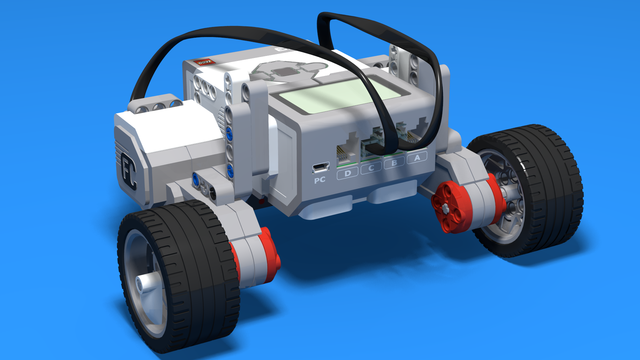
Various constructions with robots are built. Learn how to control the motors so that the robot navigates around the Moon and Earth in various ways. Getting to know the first two sensors. The robot can feel its surroundings with the help of the Touch sensor and avoid obstacles.
The Ultrasonic distance sensor can help the robot avoid obstacles. Students work with concepts like loop, degrees and medium motor. Robots can now do two different actions at the same time - while solving missions on a field, the third motor clears detected obstacles.
- 126
- 123:52
- 150

Lesson 5 - Ultrasonic sensor
Remember to give students regular feedback. It is important to provide clear and structured feedback, including grades or ranks. Today, you will need to assess your students by following this article.
- 9
- 5
- 4
- 3d_rotation 1
Robotics with LEGO - Level 1.0 - Adventure in Space
The first level of the Robotics with LEGO curriculum for students in fifth to twelfth grades.
Various constructions with robots are built. Learn how to control the motors so that the robot navigates around the Moon and Earth in various ways. Getting to know the first two sensors. The robot can feel its surroundings with the help of the Touch sensor and avoid obstacles.
The Ultrasonic distance sensor can help the robot avoid obstacles. Students work with concepts like loop, degrees and medium motor. Robots can now do two different actions at the same time - while solving missions on a field, the third motor clears detected obstacles.
- 126
- 123:52
- 150
Lesson 5 - Ultrasonic sensor
Remember to give students regular feedback. It is important to provide clear and structured feedback, including grades or ranks. Today, you will need to assess your students by following this article.
- 9
- 5
- 4
- 3d_rotation 1
Level A2. "Space exploration". Robotics with LEGO
The second level of the Robotics with LEGO curriculum for students in second, third or fourth grades.
A new sensor is introduced - the Ultrasonic distance sensor can help the robot avoid obstacles. Students work with new concepts like loop, degrees and medium motor. Robots can now do two different actions at the same time - while solving missions on a field, the third motor clears detected obstacles. The first robot with chain-treads is built.
- 63
- 3:02
- 117
Lesson 5 - Navigation in a Labyrinth
Remember to give students regular feedback. It is important to provide clear and structured feedback, including grades or ranks. Today, you will need to assess your students by following this article.
- 10
- 3
- 2
- 3d_rotation 1

Robotics with LEGO - Level Pi (Pre-release)
The third level of the Robotics with LEGO curriculum for students in from 10 to 12 years old.
Learn how the Color sensor works. Your robots can do different behaviours, after checking specific conditions. Robots can become fast speed cars or heavy lifting cranes by the means of gear-trains.
(CourseBook is still available only in Bulgarian)
- 7
- 0:00
- 67

Level Y. The Younglings (Pre-release)
The absolute starter. A new course book for students that are first grade (7-8 year old). If a student is to young to join the 8-10 years curriculum this is the place where he/she should start.
The course book contains a number of well structured 2-hourse classes for the youngest students that we've ever managed to productively include in a LEGO Mindstorms EV3 Robotics courses, groups and classes.
(Course book available only in Bulgarian and will soon be translated)
- 14
- 2:49
- 102
Lesson 5
Remember to give students regular feedback. It is important to provide clear and structured feedback, including grades or ranks. Today, you will need to assess your students by following this article.
- 2
- 2
- 1
- 3d_rotation 0
Robotics with LEGO - Level 3.5 - Measuring tools
The sixth level of the Robotics with LEGO curriculum for students in sixth or seventh grade.
In this level, we introduce student-created myBlocks. Any functionality that is used in several places in a program is grouped into myBlock thus shortening the program's length. Students create blocks that return the result of calculations as an output parameter. Input parameters can change the calculations in the myBlocks. The robot constructions measure physical properties like linear or rotational speed, the fuel level in a tank, or length, area and volume.
- 58
- 0:00
- 185
Lesson 5 - Piggy bank. Counting money
Remember to give students regular feedback. It is important to provide clear and structured feedback, including grades or ranks. Today, you will need to assess your students by following this article.
- 7
- 5
- 2
- 3d_rotation 1
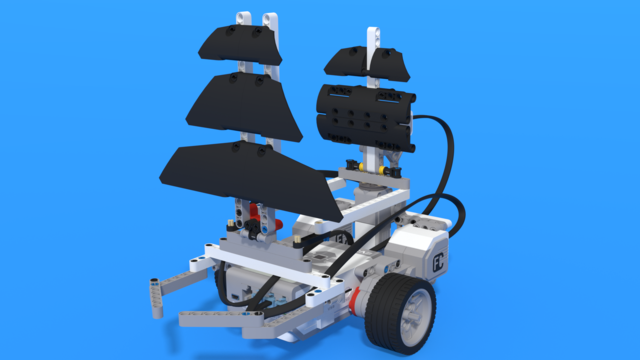
Level D2. "Seafaring". Robotics with LEGO
The eighth level of the Robotics with LEGO curriculum for students in third or fourth grade.
In this level, students learn to use the fourth sensor in the robotics set - the gyro sensor. The robots are modeled after boats, yachts, and ships. With the help of the gyro sensor, students can set a course for their robots to a given angle and can detect deviations from the course. In open seas, there may be sea-monsters and the robots are being programmed to detect a sudden change in acceleration with the help of the said sensor.
- 24
- 2:49
- 107

Lesson 5 - Following a direction
Remember to give students regular feedback. It is important to provide clear and structured feedback, including grades or ranks. Today, you will need to assess your students by following this article.
- 5
- 3
- 8
- 3d_rotation 0
Level B1. "Spy gadgets". Robotics with LEGO
The third level of the Robotics with LEGO curriculum for students in second, third or fourth grades.
In these lessons, we stress on more complex and challenging robots. The concept of Condition is introduced. Students learn about physics concepts of inertia and center of mass. Robots with two sensors are built and students program both of them. Programming becomes more complex as robots now can make complex decisions. "Spy"-robots sneakily follow their targets, trying to be undetected.
- 30
- 7:30
- 108
Lesson 5 - Eavesdropping robot
Remember to give students regular feedback. It is important to provide clear and structured feedback, including grades or ranks. Today, you will need to assess your students by following this article.
- 4
- 5
- 3
- 3d_rotation 1
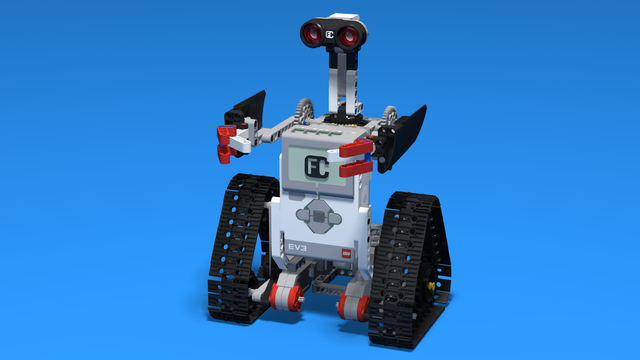
Robotics with LEGO - Level 1.5 - Spy games
The second level of the Robotics with LEGO curriculum for students from fifth to twelfth grades.
Students build multiple robots with thread chains and become familiar with the physical concepts of momentum and center of gravity. The concept of gears, their use and basic constructions involving gears are studied.
The new concept of "condition" is introduced in programming. Robots are becoming smarter as they can make complex decisions on their own. "Spy robots" follow their targets and avoid being noticed. This level introduces the light sensor which the robots use to recognize the colors of the objects they are looking for. Robots can stop on a black line and follow a route marked with a colored line on the floor.
The spy's most complex mission in the end of the level is to turn into a sumo wrestler and defeat any other robot in the ring.
- 56
- 12:47
- 136
Lesson 5 - Tank with Gear wheels
Remember to give students regular feedback. It is important to provide clear and structured feedback, including grades or ranks. Today, you will need to assess your students by following this article.
- 4
- 3
- 2
- 3d_rotation 2
Robotics with LEGO - Level 1.5 - Spy games
The second level of the Robotics with LEGO curriculum for students from fifth to twelfth grades.
Students build multiple robots with thread chains and become familiar with the physical concepts of momentum and center of gravity. The concept of gears, their use and basic constructions involving gears are studied.
The new concept of "condition" is introduced in programming. Robots are becoming smarter as they can make complex decisions on their own. "Spy robots" follow their targets and avoid being noticed. This level introduces the light sensor which the robots use to recognize the colors of the objects they are looking for. Robots can stop on a black line and follow a route marked with a colored line on the floor.
The spy's most complex mission in the end of the level is to turn into a sumo wrestler and defeat any other robot in the ring.
- 56
- 12:47
- 136
Lesson 5 - Tank with Gear wheels
Remember to give students regular feedback. It is important to provide clear and structured feedback, including grades or ranks. Today, you will need to assess your students by following this article.
- 4
- 3
- 2
- 3d_rotation 2
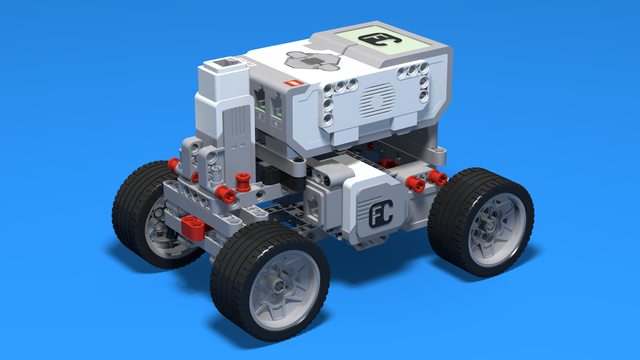
Level C1. "Transportation". Robotics with LEGO
This is the fifth level in the Robotics with LEGO curriculum for students in third or fourth grade.
For the first time robots with steering wheels are built in this level. Those robots use one or two drive motors. The work of the differential and its usage in vehicles is explored. Students learn in-depth the working of the light sensor to create better line-following programs. The first two-wheeled motorcycle-robot is built.
- 33
- 1:03
- 110

Lesson 5 - Boat for line following with 3 states
Remember to give students regular feedback. It is important to provide clear and structured feedback, including grades or ranks. Today, you will need to assess your students by following this article.
- 5
- 3
- 8
- 3d_rotation 1
Level C1. "Transportation". Robotics with LEGO
This is the fifth level in the Robotics with LEGO curriculum for students in third or fourth grade.
For the first time robots with steering wheels are built in this level. Those robots use one or two drive motors. The work of the differential and its usage in vehicles is explored. Students learn in-depth the working of the light sensor to create better line-following programs. The first two-wheeled motorcycle-robot is built.
- 33
- 1:03
- 110
Lesson 5 - Boat for line following with 3 states
Remember to give students regular feedback. It is important to provide clear and structured feedback, including grades or ranks. Today, you will need to assess your students by following this article.
- 5
- 3
- 8
- 3d_rotation 1
Robotics with LEGO - Level 4.0 - Kinesthetic and Memory Game (in development)
The seventh level of the Robotics with LEGO curriculum for students in sixth or seventh grade.
In this level, student develop a memory training game. The player must remember series of actions like press a button, shake a pole, pull a lever, show one of many colors. In order to program the game, students use many variables and modify their states. Students create their own custom sounds and images, in order to reflect their own personality in the game. In the end of the level, the game stores top scores even after a full shut down with the help of text files.
- 59
- 2:58
- 200

Lesson 5 - Playing with colors and Top Scores memory
Remember to give students regular feedback. It is important to provide clear and structured feedback, including grades or ranks. Today, you will need to assess your students by following this article.
- 3
- 6
- 6
- 3d_rotation 4
Robotics with LEGO - Level 2.0 - Robots in Factories
The third level of the Robotics with LEGO curriculum for students from fifth to twelfth grades.
Robots in this level use two or three sensors at a time and students create more complex programs for them. The work of the differential and its usage in vehicles with one drive motor is explored. Robots interact with each other and transfer information or material between themselves. Students learn in depth how to create smoother line-following programs. In the end of the workday, robots leave the conveyor belt and relax with a recreational game of volleyball.
- 44
- 15:01
- 129
Lesson 5 - Robo Car
Remember to give students regular feedback. It is important to provide clear and structured feedback, including grades or ranks. Today, you will need to assess your students by following this article.
- 6
- 4
- 11
- 3d_rotation 1
Level C2. "Cooperation". Robotics with LEGO
The sixth level of the Robotics with LEGO curriculum for students in third or fourth grade.
For the first time two different robots are required to solve a challenge. Students learn how to cooperate and find a common approach to the challenges and how to distribute their roles. Various robots are built, even a crane that loads a truck. Students use two sensors at the same time so that they find their target and find out whether their partner-robot is ready with their part of the challenge.
- 41
- 6:39
- 137
Lesson 5 - Relay game
Remember to give students regular feedback. It is important to provide clear and structured feedback, including grades or ranks. Today, you will need to assess your students by following this article.
- 8
- 6
- 12
- 3d_rotation 1
Robotics with LEGO - Level 2.0 - Robots in Factories
The third level of the Robotics with LEGO curriculum for students from fifth to twelfth grades.
Robots in this level use two or three sensors at a time and students create more complex programs for them. The work of the differential and its usage in vehicles with one drive motor is explored. Robots interact with each other and transfer information or material between themselves. Students learn in depth how to create smoother line-following programs. In the end of the workday, robots leave the conveyor belt and relax with a recreational game of volleyball.
- 44
- 15:01
- 129
Lesson 5 - Robo Car
Remember to give students regular feedback. It is important to provide clear and structured feedback, including grades or ranks. Today, you will need to assess your students by following this article.
- 6
- 4
- 11
- 3d_rotation 1
Robotics with LEGO - Level 2.5 - Maritime Journey
The fourth level of the Robotics with LEGO curriculum for students from fifth to twelfth grades.
In this level students focus on the rotational sensor that is part of every motor in the robotics set. Students also learn to use the fourth sensor in the robotics set - the gyro sensor.
First few robot constructions imitate sea-animals and their behavior. Students create programs that check whether the robot's claws or pecks have successfully caught an object. That sensor in the motors allows the robots to go back in their lairs even after the use of unlimited movement. The rest of the robots are modeled after boats, yachts, and ships. With the help of the gyro sensor, students can set a course for their robots to a given angle and can detect deviations from the course. In open seas, there may be sea-monsters and the robots are being programmed to detect a sudden change in acceleration with the help of the said sensor.
- 42
- 3:52
- 133

Lesson 5 - Personal Yacht
Remember to give students regular feedback. It is important to provide clear and structured feedback, including grades or ranks. Today, you will need to assess your students by following this article.
- 7
- 3
- 10
- 3d_rotation 0
Robotics with LEGO - Level 2.5 - Maritime Journey
The fourth level of the Robotics with LEGO curriculum for students from fifth to twelfth grades.
In this level students focus on the rotational sensor that is part of every motor in the robotics set. Students also learn to use the fourth sensor in the robotics set - the gyro sensor.
First few robot constructions imitate sea-animals and their behavior. Students create programs that check whether the robot's claws or pecks have successfully caught an object. That sensor in the motors allows the robots to go back in their lairs even after the use of unlimited movement. The rest of the robots are modeled after boats, yachts, and ships. With the help of the gyro sensor, students can set a course for their robots to a given angle and can detect deviations from the course. In open seas, there may be sea-monsters and the robots are being programmed to detect a sudden change in acceleration with the help of the said sensor.
- 42
- 3:52
- 133
Lesson 5 - Personal Yacht
Remember to give students regular feedback. It is important to provide clear and structured feedback, including grades or ranks. Today, you will need to assess your students by following this article.
- 7
- 3
- 10
- 3d_rotation 0
Robotics with LEGO - Level 4.0 - Kinesthetic and Memory Game (in development)
The seventh level of the Robotics with LEGO curriculum for students in sixth or seventh grade.
In this level, student develop a memory training game. The player must remember series of actions like press a button, shake a pole, pull a lever, show one of many colors. In order to program the game, students use many variables and modify their states. Students create their own custom sounds and images, in order to reflect their own personality in the game. In the end of the level, the game stores top scores even after a full shut down with the help of text files.
- 59
- 2:58
- 200
Lesson 5 - Playing with colors and Top Scores memory
Remember to give students regular feedback. It is important to provide clear and structured feedback, including grades or ranks. Today, you will need to assess your students by following this article.
- 3
- 6
- 6
- 3d_rotation 4
Robotics with LEGO - Level 4.5 Game Time
This is the eighth level of the Robotics with LEGO curriculum for students in fifth to twelfth grades.
With the help of robots designed for games between students, they learn how to work with variables. Robots keep the score of each player and do calculations with the information in the variables.
In order to group functionality all the time, students use the well-known myBlocks. The concept of behavior is introduced and the programs are organized in many threads that exchange information between each other.
At the end of the level, the robots generate problems with numbers and the students must create equations.
- 35
- 13:40
- 221

Lesson 5 - TV Show: "Equation Generation and Deduction"
Remember to give students regular feedback. It is important to provide clear and structured feedback, including grades or ranks. Today, you will need to assess your students by following this article.
- 4
- 11
- 6
- 3d_rotation 1
Robotics with LEGO - Level 4.5 Game Time
This is the eighth level of the Robotics with LEGO curriculum for students in fifth to twelfth grades.
With the help of robots designed for games between students, they learn how to work with variables. Robots keep the score of each player and do calculations with the information in the variables.
In order to group functionality all the time, students use the well-known myBlocks. The concept of behavior is introduced and the programs are organized in many threads that exchange information between each other.
At the end of the level, the robots generate problems with numbers and the students must create equations.
- 35
- 13:40
- 221
Lesson 5 - TV Show: "Equation Generation and Deduction"
Remember to give students regular feedback. It is important to provide clear and structured feedback, including grades or ranks. Today, you will need to assess your students by following this article.
- 4
- 11
- 6
- 3d_rotation 1
Python with LEGO Mindstorms EV3 - Level 1
The course introduces students to the programming language Python. We use LEGO Mindstorms EV3 Robots. Python is a popular programming language. It could be used for introducing students to programming, for academic studies, for developing machine learning algorithms and as a general-purpose language.
During the course, students learn how to read and how to develop Python programs. They use an Integrated Development Environment called Visual Studio Code. Robots are programmed to perform interesting and funny tasks like "bringing you water". The level ends with competition on a playing field with boxes.
- 74
- 28:18
- 114
Lesson 5 - Educational toy: Learn to read the clock
Remember to give students regular feedback. It is important to provide clear and structured feedback, including grades or ranks. Today, you will need to assess your students by following this article.
- 7
- 10
- 16
- 3d_rotation 1
Python with LEGO Mindstorms EV3 - Level 1
The course introduces students to the programming language Python. We use LEGO Mindstorms EV3 Robots. Python is a popular programming language. It could be used for introducing students to programming, for academic studies, for developing machine learning algorithms and as a general-purpose language.
During the course, students learn how to read and how to develop Python programs. They use an Integrated Development Environment called Visual Studio Code. Robots are programmed to perform interesting and funny tasks like "bringing you water". The level ends with competition on a playing field with boxes.
- 74
- 28:18
- 114
Lesson 5 - Educational toy: Learn to read the clock
Remember to give students regular feedback. It is important to provide clear and structured feedback, including grades or ranks. Today, you will need to assess your students by following this article.
- 7
- 10
- 16
- 3d_rotation 1
Python with LEGO Mindstorms EV3 - Level 2
In the second level of Python for EV3 robots, students learn in-depth the touch sensor. The sensor is used as an input device for manual control of machines, as well as a sensor for autonomous robots. In a pair of lessons, students build a control panel for the grabber and the movement of a crane. Programming wise, students learn how to fork code with "if-else" constructions, how to create conditional and forever loops with "while" and how to negate conditions with "not" operator. In the end of the lesson, robots can detect obstacles and avoid them, so that they traverse a simple labyrinth.
- 39
- 19:58
- 93
Lesson 5 - Railroad Handcar
Remember to give students regular feedback. It is important to provide clear and structured feedback, including grades or ranks. Today, you will need to assess your students by following this article.
- 4
- 7
- 3
- 3d_rotation 1
Python with LEGO Mindstorms EV3 - Level 2
In the second level of Python for EV3 robots, students learn in-depth the touch sensor. The sensor is used as an input device for manual control of machines, as well as a sensor for autonomous robots. In a pair of lessons, students build a control panel for the grabber and the movement of a crane. Programming wise, students learn how to fork code with "if-else" constructions, how to create conditional and forever loops with "while" and how to negate conditions with "not" operator. In the end of the lesson, robots can detect obstacles and avoid them, so that they traverse a simple labyrinth.
- 39
- 19:58
- 93
Lesson 5 - Railroad Handcar
Remember to give students regular feedback. It is important to provide clear and structured feedback, including grades or ranks. Today, you will need to assess your students by following this article.
- 4
- 7
- 3
- 3d_rotation 1
Level A1. Introduction. Robotics with LEGO
Introduction to robotics - The first level of the Robotics with LEGO curriculum for students in second, third or fourth grades. A journey in space, with robots. Various constructions with robots are built. Learn how to control the motors so that the robot navigates around the Sun, the Moon and Earth in various ways. Getting to know the first of the sensors. The robot can feel its surroundings with the help of the Touch sensor and avoid obstacles.
- 142
- 133:42
- 187
Lesson 5 - Clearing a landing spot
Remember to give students regular feedback. It is important to provide clear and structured feedback, including grades or ranks. Today, you will need to assess your students by following this article.
- 11
- 3
- 5
- 3d_rotation 0
Level A1 - Space Adventure - Robotics with LEGO SPIKE Prime
This is the first level of the LEGO Robotics Curriculum for second-, third-, and fourth-grade students.
A "space adventure" but with robots. Different robot structures are built in Level A1. The motors are controlled so that the robots perform precise movements around the "Earth", "Moon" and "Sun". We use the force sensor to overcome various obstacles we bump into. We learn interesting facts about the solar system and space vehicles.
- 65
- 30:30
- 76

Lesson 5 - Clearing the landing pad
Remember to give students regular feedback. It is important to provide clear and structured feedback, including grades or ranks. Today, you will need to assess your students by following this article.
- 7
- 4
- 12
- 3d_rotation 2
Level A1 - Space Adventure - Robotics with LEGO SPIKE Prime
This is the first level of the LEGO Robotics Curriculum for second-, third-, and fourth-grade students.
A "space adventure" but with robots. Different robot structures are built in Level A1. The motors are controlled so that the robots perform precise movements around the "Earth", "Moon" and "Sun". We use the force sensor to overcome various obstacles we bump into. We learn interesting facts about the solar system and space vehicles.
- 65
- 30:30
- 76
Lesson 5 - Clearing the landing pad
Remember to give students regular feedback. It is important to provide clear and structured feedback, including grades or ranks. Today, you will need to assess your students by following this article.
- 7
- 4
- 12
- 3d_rotation 2
Level 3.7 - Smart Robots
В много от занятията отборите работят върху един робот, като всеки отбор е отговорен за правилното реализиране на поетата от тях функционалност. Задълбочено се разглеждат задаването на входни стойности и използването на изходните стойности на всички блокове. Широко се използват променливи от трите основни типа: Integer, Boolean, Text. Роботите вече пазят богато вътрешно състояние, могат да броят, да изчисляват, да се обосновават логически, с помощта на което взимат много по-правилни решения. Въвежда се използването на паралелно изпълняващи се блокове.
- 15
- 1:03
- 111

Занятие 5 - Сумо с три сензора
Remember to give students regular feedback. It is important to provide clear and structured feedback, including grades or ranks. Today, you will need to assess your students by following this article.
- 2
- 3
- 11
- 3d_rotation 1
Level 3.7 - Smart Robots
В много от занятията отборите работят върху един робот, като всеки отбор е отговорен за правилното реализиране на поетата от тях функционалност. Задълбочено се разглеждат задаването на входни стойности и използването на изходните стойности на всички блокове. Широко се използват променливи от трите основни типа: Integer, Boolean, Text. Роботите вече пазят богато вътрешно състояние, могат да броят, да изчисляват, да се обосновават логически, с помощта на което взимат много по-правилни решения. Въвежда се използването на паралелно изпълняващи се блокове.
- 15
- 1:03
- 111
Занятие 5 - Сумо с три сензора
Remember to give students regular feedback. It is important to provide clear and structured feedback, including grades or ranks. Today, you will need to assess your students by following this article.
- 2
- 3
- 11
- 3d_rotation 1


Text to Image generation
Remember to give students regular feedback. It is important to provide clear and structured feedback, including grades or ranks. Today, you will need to assess your students by following this article.
- 2
- 6
- 11
- 3d_rotation 0
Text to Image generation
Remember to give students regular feedback. It is important to provide clear and structured feedback, including grades or ranks. Today, you will need to assess your students by following this article.
- 2
- 6
- 11
- 3d_rotation 0

Level B1 - Carnival - Robotics with LEGO SPIKE Prime
This is the third level of the LEGO Robotics Curriculum for students in second, third, or fourth grades.
Carnival and Amusement Park Level. Each lesson has a theme related to carnivals and amusement parks. Students learn about physics concepts of inertia, center of mass, and centrifugal force. New ways of programming the force and distance sensors are introduced. We work with new concepts: forever loop, if/then, and if/else.
- 23
- 1:03
- 62
Lesson 5 - Ferris Wheel
Remember to give students regular feedback. It is important to provide clear and structured feedback, including grades or ranks. Today, you will need to assess your students by following this article.
- 4
- 5
- 9
- 3d_rotation 1

Level B2 - Introduction to Robotics Competitions - Robotics with LEGO SPIKE Prime
This is the fourth level of the LEGO Robotics Curriculum for students in second, third, or fourth grades.
Competitive Introduction Level: Each lesson has a theme related to various LEGO robotics competitions. Students learn about FIRST LEGO League, Line Following, and Sumo Wrestling. A new color sensor is introduced, and students use forever loops, wait until commands, and if/else statements in new ways.
- 21
- 1:03
- 60

Lesson 5 - Line Following Part 1
Remember to give students regular feedback. It is important to provide clear and structured feedback, including grades or ranks. Today, you will need to assess your students by following this article.
- 4
- 4
- 8
- 3d_rotation 2
Level B2 - Introduction to Robotics Competitions - Robotics with LEGO SPIKE Prime
This is the fourth level of the LEGO Robotics Curriculum for students in second, third, or fourth grades.
Competitive Introduction Level: Each lesson has a theme related to various LEGO robotics competitions. Students learn about FIRST LEGO League, Line Following, and Sumo Wrestling. A new color sensor is introduced, and students use forever loops, wait until commands, and if/else statements in new ways.
- 21
- 1:03
- 60
Lesson 5 - Line Following Part 1
Remember to give students regular feedback. It is important to provide clear and structured feedback, including grades or ranks. Today, you will need to assess your students by following this article.
- 4
- 4
- 8
- 3d_rotation 2
Level B1 - Carnival - Robotics with LEGO SPIKE Prime
This is the third level of the LEGO Robotics Curriculum for students in second, third, or fourth grades.
Carnival and Amusement Park Level. Each lesson has a theme related to carnivals and amusement parks. Students learn about physics concepts of inertia, center of mass, and centrifugal force. New ways of programming the force and distance sensors are introduced. We work with new concepts: forever loop, if/then, and if/else.
- 23
- 1:03
- 62
Lesson 5 - Ferris Wheel
Remember to give students regular feedback. It is important to provide clear and structured feedback, including grades or ranks. Today, you will need to assess your students by following this article.
- 4
- 5
- 9
- 3d_rotation 1

Level C2 - Cooperation - Robotics with LEGO SPIKE Prime
The sixth level of the Robotics with LEGO curriculum is designed for students in third or fourth grade.
For the first time, two different robots are required to solve a challenge. Students learn how to cooperate, agree on a shared plan, and divide their roles. They build a variety of robots, including a crane that loads a sorter. Students also use two sensors at the same time to locate their target and to check whether their partner robot is ready to complete its part of the challenge.
- 6
- 0:00
- 28
Lesson 5 - Relay game
Remember to give students regular feedback. It is important to provide clear and structured feedback, including grades or ranks. Today, you will need to assess your students by following this article.
- 2
- 5
- 10
- 3d_rotation 1

Level C1 - Musical Instruments - Robotics with LEGO SPIKE Prime
This is the fifth level of the LEGO Robotics Curriculum, designed for students in second, third, or fourth grade.
Musical Instruments Level: Each lesson centers on a theme connected to music and musical instruments. Students explore pitch, volume, and duration of sounds, as well as how to read and program musical notes on the SPIKE Prime Hub. This level introduces sound-related blocks, force and speed sensors, and math blocks for division and absolute values, building on students’ existing knowledge.
- 23
- 1:03
- 68

Lesson 5 - DJ Set
Remember to give students regular feedback. It is important to provide clear and structured feedback, including grades or ranks. Today, you will need to assess your students by following this article.
- 4
- 4
- 11
- 3d_rotation 1