

Infinite vs Finite Matrix. Robotics Game of Life
The field in the game of life could be finite or infinite. It is interesting to see and learn how an infinite field behaves and works.
- #271
- 17 Mar 2016
The field in the game of life could be finite or infinite. It is interesting to see and learn how an infinite field behaves and works.

Display a matrix on the brick screen. Simple and easy. Download and run the program to see how

The task is to find what the best seed is that will live the longest without entering into a loop or without dying. Find it and submit in the tasks section.

Display a matrix with "life" and "dead" cells on the EV3 LEGO Mindstorms brick screen. The program is available. You can see it, change it, modify it and learn from it.

Learn to program the Game of Life on the LEGO Mindstorms brick screen. This would require drawing on the brick screen, using blocks with switches and loops.
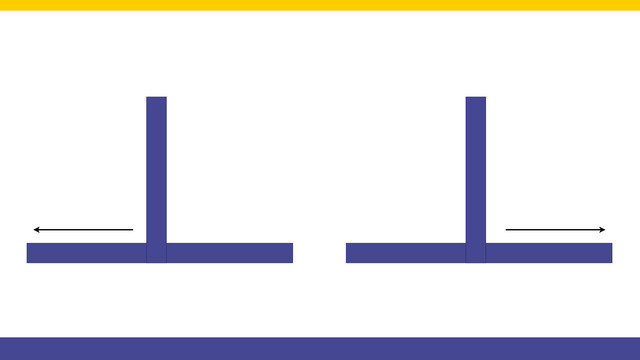
All worked as expected, up until know because the robot got lost. This happens when we turn right and the line does not continue to the right. Now the robot must somehow understand that it is "lost" and escape.

The code is already ready. It is attached below the video. Let's see how the program works and what it does and how to use it.

Let's implement a more advanced program for this robot to learn how to use with motors in opposite directions - and this is to implement the Proportional Line Following algorithm.

In the current course we would use a number of languages. Generally we would program the robots in EV3-G, but we would also program them in JavaScript to make the parallel with the JavaScript. The programming would include arrays, switches and loops.

There are a number of tools available online to help you play the game. You just seed the initial conditions and leave the game. Let's look at some of the sites.

We can Turn Right. We can Turn Left. How do we decide which way to go if there are lines both to the left and to the right. Check out the video.

We are programming this strange construction to move in a square. This is a basic task, but it is worth doing for a robot with motors placed in different directions.

Next state in our state machine programming pattern is the "Turn Left" state and the corresponding behaviour.

Motors can be placed in opposite directions... opposite .. directions. Robo-builders might have difficulties imagining it so we have build one. One of the motors facing forward, the other backward. It is interesting how this robot turns.

Next important state is Turn Right with our robot. This happens when we detect a line on the right.

The last fifth construction is larger compared to the previous constructions. It is wider. It has four sensors and you can take a larger load all by keeping the robot stable.

We've detected the gap. It's time to move over it. This is difficult because we have to detect where the line is after the 0.1 meters gap on the line following field.

Probably the robot I like the most from this series of five robots. See the video to understand why and what is interesting and special about this robot.

It's inevitable. While following this gapped line we would reach a gap. The robot must somehow understand that there is a gap and must make a decision on what to do. For detecting the gap we use the Rotation Sensor. Not the most popular, but very convenient in many cases. Check out the video.

The final video from the course. The robot escapes the state where it is lost. This happens if it can not continue in any direction.

The third robot has the brick and motors placed vertically. This is quite unusual and difficult, but the construction is very powerful because it saves space.

We follow a line. We start from the Smooth Proportional Line Following program and modify it a little for this program. We follow the line with the middle sensor attached on port 2.

The second construction of the series along with a comparison with the first construction. The new robot requires more parts, but has a few more advantages.

We extract the Proportional Line Following algorithm into a new block with parameters. This allows us to experiment with the Threshold, Constant Speed and Relaxation Coefficient. You can now easily use the block in you other programs without having to implement it.

Five different robot chassis. This is the goal of the series. To present ideas for different design of the robots and especially the robot bases. If the base is stable and balanced, then in could easily be extended. Let's start with the most simple of the five.

We list the number of decisions that the robot is making while following the line. Then, we group them and decide on the number of sensors to be used.

In this third video we show some of the tricks in building this Multi-axles mechanism. Things you could learn from an use in your next constructions.