

How to use the repeat block in LEGO SPIKE Prime Word Blocks software
Have you ever had many blocks of your program that repeat? This block will shorten your program significantly when this happens!
- #2164
- 23 Jul 2024
Have you ever had many blocks of your program that repeat? This block will shorten your program significantly when this happens!

Sounds easy, eh? Try it for a bit and come back to read this tutorial!

We already know how to move the whole robot. How can we move only one motor?

How much does a robot move when it turns 90°? How does this compare to a wheel turning 90°? What’s the difference?
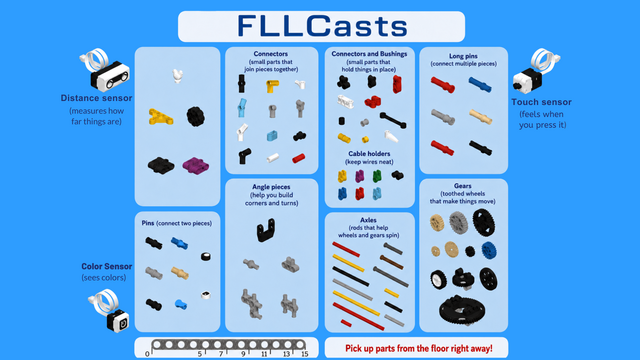
Every part has its place in the box, and you should always return parts to where they belong.
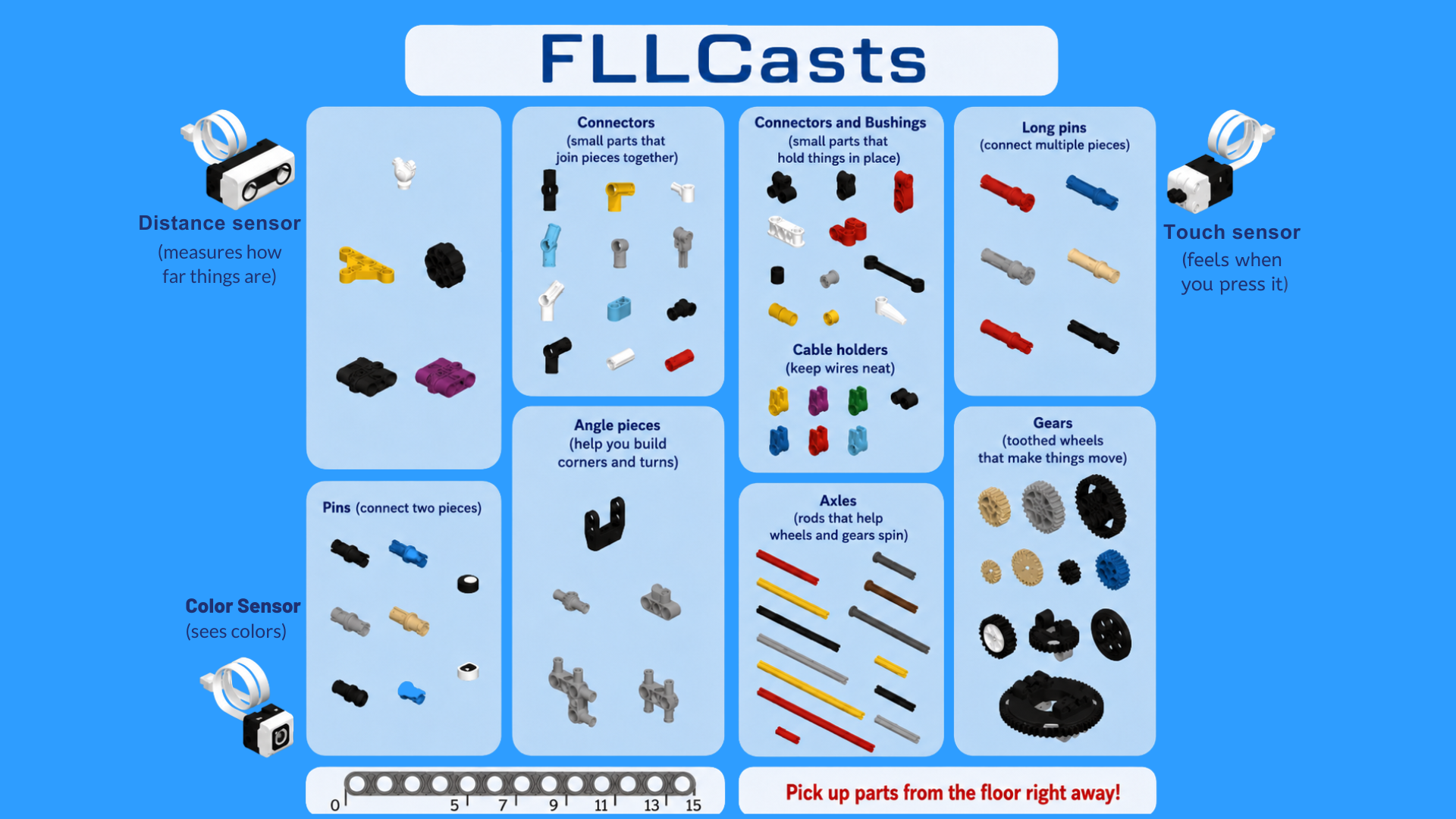
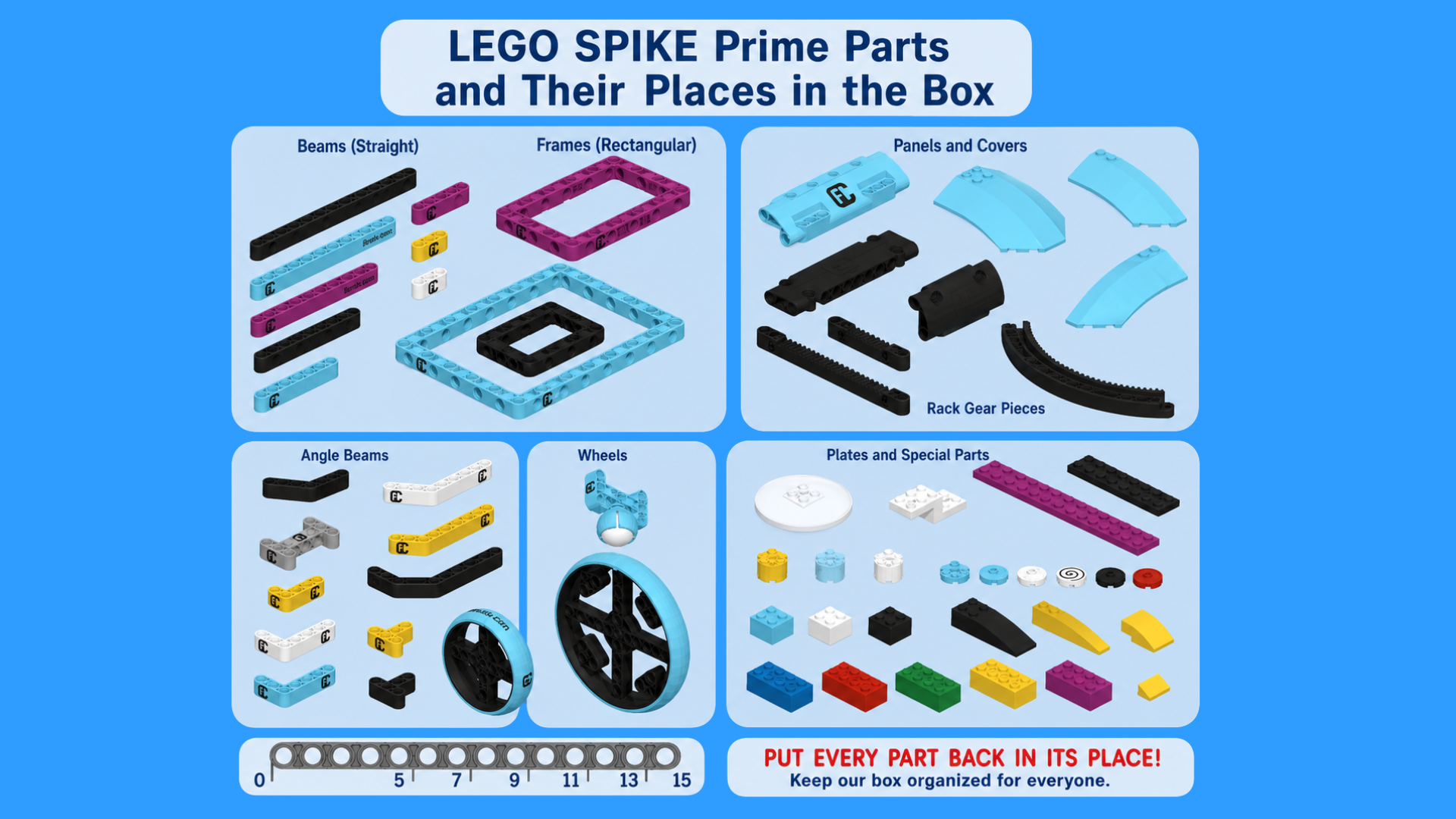
You will build your robots much faster if you know where the parts are in the box. Inside your box, you will find a guide for organizing the parts. Most sections include labels that help you identify what goes there, such as:
At the end of the lesson, you will need to disassemble your robot. All parts must be returned to their correct sections. You can leave the class only after your teacher has checked and approved that your box is properly organized.
Use plastic food trays as containers to help organize the bottom part of the box.

Energy consumption in our homes is part of everyday life, such as watching the television.
Raise the television screen and move the energy unit to the television slot.

To find out how the robot sees, or rather DOESN'T see the world, we will play a game so that you feel what it is to be a robot.

Sometimes we don't need the robot to do the same and predictable things, but something random and unexpected! Here's how to do it!

One of the important blocks for making an autonomous robot is the infinite motion block. Combined with other blocks, we can precisely control the robot's movement. Here's how it works!

Sometimes it is useful to have the robot wait before it goes so that we can stand back and not disturb it or even take a picture of it. This is how we can program this!

Here's one way to program using a force sensor:

How do you perceive the world? And how can a robot do it? Here is one of the ways!

We have already learned how to use the start sound block in this tutorial, now let's see how to make the sound play all the way!

We have already learned how to use the block to turn on the controller display in this tutorial. Now, we will find out how to do this for a specified amount of time!

The SPIKE Prime software allows us to play all kinds of sounds! Here's how to do it.

This is how we can draw whatever we want on our robot's hub display!

Sometimes we want a part to move more, sometimes less. Here are the pins that can help with that!

Have you ever wanted your robot to move as fast as possible? Or slower? Here's how!

Have you ever needed to make an arc turn? Do you know what an arc turn is? Let's find out!

Here we will learn our first turn, namely a spin turn!
This lesson presents lighter and more engaging material for students, and, when combined with the fun blocks, they often become distracted. Here are some guidelines that may help you.
