A Motor Pair connects two motors so they can be controlled together. Here is how to do it:
Необходимо е да се абонирате за FLLCasts.com, за да достъпите това видео
- #2590
- 24 Feb 2026
Set up the motors
To create a motor pair, we use the command motor_pair.pair(). Here is an example:
from hub import port
import runloop
import motor_pair

async def main():
    # Pair motors on ports F and D
    motor_pair.pair(motor_pair.PAIR_1, port.F, port.D)
The inputs of the motor_pair.pair() command are:
- First input = Pair number (motor_pair.PAIR_1)
- Second input = Left motor port (port.F)
- Third input = Right motor port (port.D)
The move_for_time() command
This command allows the robot to move for a set amount of time using both motors. Here is an example:
from hub import port
import runloop
import motor_pair

async def main():
    # Pair motors on port F and D
    motor_pair.pair(motor_pair.PAIR_1, port.F, port.D)

    # Move straight at default velocity for 1 second
    await motor_pair.move_for_time(motor_pair.PAIR_1, 1000, 0)

runloop.run(main())
The inputs of the move_for_time() command are:
- First input = Pair number (motor_pair.PAIR_1)
- Second input = Duration in milliseconds
- Third input = Steering value (from -100 to 100)
The velocity parameter is optional. To change it, you must specify its name:
motor_pair.move_for_time(motor_pair.PAIR_1, 1000, 0, velocity=280)
Курсове и занятия включващи този Урок
Този Урок е използван в следните курсове и занятия.
Level A: Python Foundations – Robotics with LEGO SPIKE Prime
This is the first level of the LEGO Robotics Curriculum with Python, designed for students in grades 2, 3, and 4.
In this robot adventure, students learn to control robots using real Python code, while teachers guide them through their first steps in text-based programming. Throughout the level, students build a variety of LEGO SPIKE Prime robot models and program them to move, turn, and complete tasks with increasing precision.
Step by step, students learn how to read, understand, and write their own Python programs. Through fun and creative challenges, they bring their robots to life and discover how code can control movement, solve problems, and interact with the world. Along the way, they explore concepts such as navigation, obstacle avoidance, and sensor-based behavior.
The curriculum is designed to help teachers introduce programming in an engaging and approachable way while giving students plenty of opportunities to experiment, test ideas, and develop confidence in their coding skills.
By the end of the level, students apply everything they have learned in an exciting robotics competition. Using their own programs and robot designs, they complete missions on a competition field with boxes, putting their coding, engineering, and problem-solving skills to the test.
- 46
- 4:32
- 78
Lesson 3 - Luna 3
Introduction
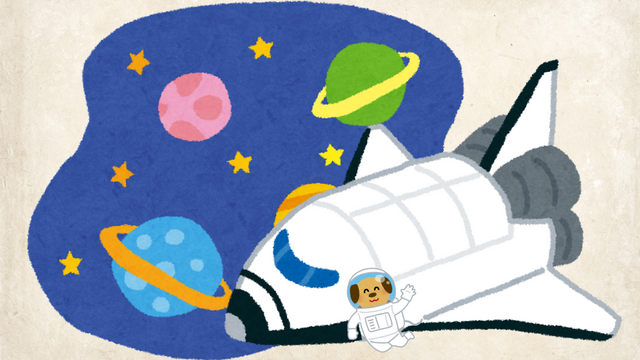
Today’s lesson is inspired by an exciting moment in space exploration - a mission to the Moon. Your robot will act as an astronaut, and you will use an object in the classroom to represent the Moon.
Your robot will travel around the “Moon,” stop at the right moment, and take a picture before returning to its starting point. Instead of a real space camera, you will use a phone set to take photos automatically.
By the end of the lesson, you will have your own mission photo - just like real space engineers who collect data from faraway places.
- 5
- 4
- 9
- 3d_rotation 1